n8n for Business: Workflows, Pricing, GDPR and Limits (2026)
Joshua Heller · September 30, 2026 · 12 min.
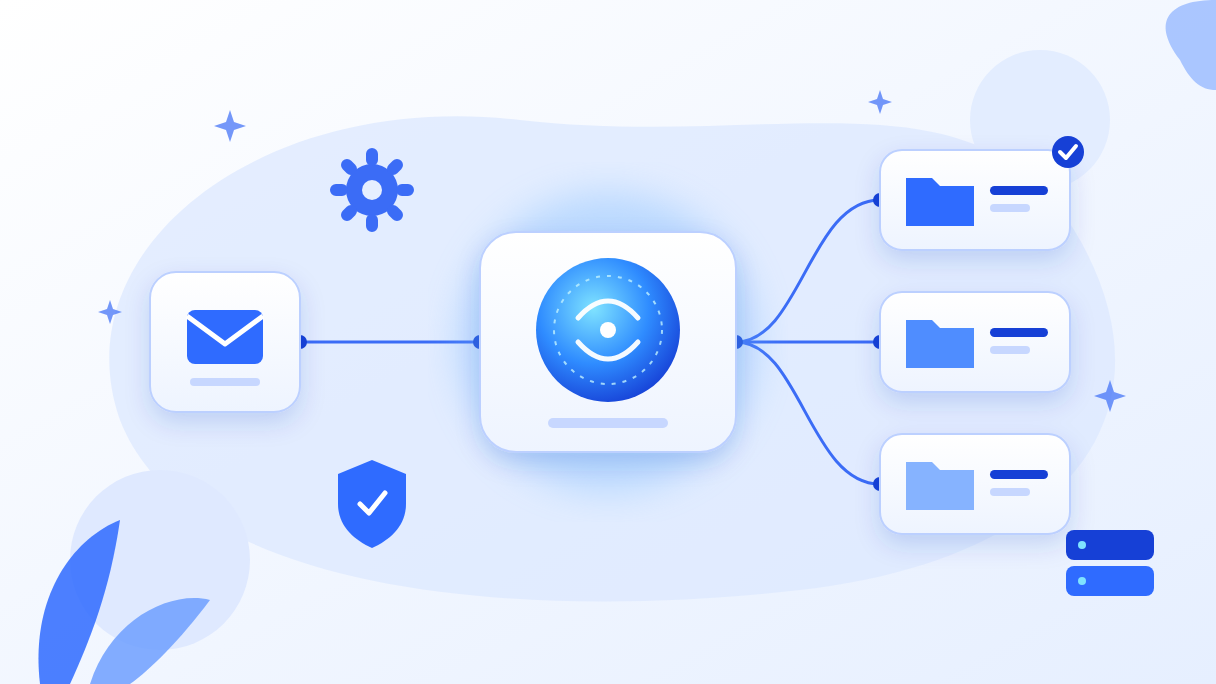
n8n is a workflow automation platform from Berlin. You use it to connect applications, databases and AI models into processes that run without manual work. The self-hosted Community Edition is free for internal use. The cloud version starts at €24 per month for 2,500 workflow runs (as of 30 Sep 2026). For mid-sized companies, n8n fits best for clearly defined process chains with a few AI steps. Large data volumes, complex business logic and critical core processes usually belong in custom code.
At TAISC we use n8n in client projects and in our own operations, from lead processing to a mailbox that sorts itself. In this article you will learn:
- how an n8n workflow with an AI agent is actually built,
- what n8n really costs, including the items no pricing page mentions,
- how to run n8n securely and in line with GDPR,
- at which point a workflow tool is no longer the right answer.
What is n8n?
n8n (pronounced “n-eight-n”, short for “nodemation”) is a platform where you assemble processes from building blocks called nodes. A trigger starts the workflow, for example a new email, a form submission or a schedule. The following nodes read data, call APIs or language models, branch on conditions and write results to target systems. Where no ready-made node exists, you add JavaScript or Python.
n8n is built by n8n GmbH, based in Berlin. In October 2025 the company raised $180M at a $2.5B valuation (n8n blog). In May 2026 SAP followed with a strategic investment at a $5.2B valuation. According to n8n, 1.7 million people build workflows on the platform each month, and there are more than 1,400 enterprise customers (n8n blog). For you, this means n8n is no longer a niche tool. It is an established platform that is now also finding its way into SAP landscapes.
The demand is real. According to Bitkom (September 2026), 57% of German companies with 20 or more employees now use AI, up from 36% a year earlier. Among those not yet using it, 85% lack the know-how to implement it. A well-built workflow often closes that gap between “we want to” and “it runs every day” faster than a large AI project.
How is an n8n workflow with AI built?
The best way to understand n8n is a real example. In June 2026, TAISC founder Joshua Heller built a workflow that sorts his mailbox. The reason was mundane: newsletters, client requests and invoices all landed in one inbox, and important emails got lost.
The workflow runs twice a day, at noon and in the evening. It fetches new emails, has an AI agent classify them and moves each one to the right folder. The inbox stays visible live. The clean-up, however, happens at fixed times, so the sorting doesn’t become a distraction of its own.
| Step | n8n node | What happens |
|---|---|---|
| 1. Trigger | Schedule Trigger | Starts the run twice a day |
| 2. Fetch emails | Microsoft Outlook (Graph API) | Reads new messages from Microsoft 365 |
| 3. Classify | AI Agent with Azure OpenAI | Assigns each email to a category: client request, invoice, newsletter, other |
| 4. Check | If / Switch | Uncertain cases stay in the inbox instead of being misfiled |
| 5. Move | Microsoft Outlook | Moves the email to the target folder |
| 6. Error handling | Error Workflow | Reports failures instead of failing silently |
Three details make the difference between a demo and everyday use.
The AI only decides what it has to decide. The language model returns one category from a fixed list, nothing else. Moving emails, handling errors and the rules for edge cases remain ordinary workflow logic. That keeps costs low and behaviour predictable.
Uncertain means hands off. A misfiled client request is worse than an unsorted one. So cases where the model is unsure stay in the inbox.
Corrections are put to use. If an email is misfiled, you move it back. Such corrections can be added as examples to the model’s instructions. Accuracy improves over time without anyone training a model.
The ongoing model cost for this workflow is about 3 cents per day, measured in our own operation with GPT-5.4 mini. Checked against current Azure list prices, that holds up. At 40 emails a day with roughly 1,000 input and 50 output tokens each, you end up at about 4 US cents per day (estimate, prices below). The server costs more than the model, as you’ll see in the pricing section.
Which n8n workflows pay off for mid-sized companies?
Most n8n workflows we see in mid-sized companies fall into five groups. The table shows where AI is needed at all. In many cases it isn’t.
| Workflow | Typical trigger | AI needed? | Example from our work |
|---|---|---|---|
| Leads from all channels into the CRM | Webhook from a form or portal | No, fixed rules | WMK: real-time leads into the CRM |
| Master data sync between systems | Schedule (e.g. daily) | No | WMK: product data synced to the ERP system |
| Incoming invoices from the mailbox | New email | Partly, to extract data from PDFs | Bluemoon: invoice intake with an Outlook trigger |
| Sorting the mailbox, pre-qualifying requests | Schedule or new email | Yes, to understand content | Our own operation (see above) |
| Reporting from several sources | Schedule | Partly, to summarise text | Monthly reports, management updates |
Two project examples show where the value lies.
Wärme mit Konzept. For this specialist in heat pumps and photovoltaics, we merged several scattered single automations into one central n8n workflow. Leads from all channels now reach the CRM in real time, and product data flows into the ERP system daily. The one-off transfer of the product data alone would have taken an estimated 12 to 18 hours by hand. There is deliberately no AI here, because every step follows clear rules.
Bluemoon. At this marketing agency we stabilised existing workflows and built new ones with the team. In invoice intake alone, the review found about 800 transactions at 5 minutes each, so more than 60 hours of automatable manual work (estimate). A second learning: Claude can generate the first version of a workflow as a JSON template, which you import into n8n and refine there. That shortens the start considerably.
What does n8n cost?
The short answer: the software can be free, running it never is. Costs come from four items: licence or cloud plan, hosting, model costs for AI steps, and the time for building and maintenance.
The plans at a glance
| Plan | Price (monthly, excl. VAT) | Workflow runs per month | Key limits |
|---|---|---|---|
| Community Edition | €0 (self-hosted) | unlimited | no SSO, no Git version control, no environments, no credential sharing |
| Starter (Cloud) | €24 (€20 billed annually) | 2,500 | 5 concurrent runs, max. 5 minutes per run |
| Pro (Cloud) | €60 (€50 billed annually) | 10,000 | up to 50 concurrent runs, max. 40 minutes per run |
| Business | €800 (€667 billed annually) | 40,000 | self-hosted only; SSO, Git, environments, queue mode |
| Enterprise | on request | custom | cloud or self-hosted; log streaming, SLA |
Source: n8n.io/pricing, retrieved 30 Sep 2026. All plans include unlimited workflows and users. According to n8n, cloud data is stored on servers in Frankfurt.
How n8n counts, and why it matters
n8n bills per workflow run, no matter how many steps the workflow has (n8n docs). Test runs in the editor, sub-workflows and error workflows don’t count. Make, by contrast, bills every single module action as a credit (Make help). A workflow with ten steps is one run in n8n and about ten credits in Make. For long process chains, n8n is therefore often much cheaper. For many very short automations, Make can be the simpler choice.
Use the calculator to see which plan fits your volume:
Interactive
n8n cost calculator: which plan fits?
List prices per n8n.io/pricing with monthly billing, as of 30 Sep 2026, excl. VAT. Only production runs count; test runs and sub-workflows do not. Server price: Hetzner CX23, €5.49/month excl. VAT since 15 Jun 2026, excluding maintenance and model costs. Make counts every module action as a credit (simplified: 1 step = 1 credit). Guidance only, not a quote.
The costs no pricing page mentions
Hosting. A small self-hosted setup runs fine on a virtual server. At the German provider Hetzner, the smallest suitable type, the CX23, has cost €5.49 per month excl. VAT since 15 Jun 2026, up from €3.99 (Hetzner docs). Cheap cloud servers have become noticeably more expensive in 2026. For production workflows with a Postgres database and backups, budget more like €10 to €30 per month (estimate).
Model costs. For AI steps you pay the model provider per token. GPT-5.4 mini in Azure OpenAI, deployed as “Data Zone EU”, costs $0.825 per million input tokens and $4.95 per million output tokens (Azure price list, as of 30 Sep 2026). The mailbox example above shows the order of magnitude: cents per day, as long as the model only classifies and doesn’t write long texts.
Building and maintenance. This is almost always the biggest item. A simple workflow is up in hours. A workflow a team relies on needs error handling, monitoring, tests with real cases and someone who installs updates. If you self-host, you also take on security updates, backups and server monitoring. Plan fixed time for this, even when the workflow “just runs”.
How do you run n8n in line with GDPR?
n8n can be run in a GDPR-compliant way, either self-hosted in the EU or in n8n Cloud with data stored in Frankfurt. The tool alone doesn’t make a workflow compliant, though. What matters is where data flows inside the workflow. We check four points in every project.
1. Where does the language model really run? This is the most common misconception. People who create Azure OpenAI in the “Germany West Central” region often assume their data is processed in Germany. For GPT-5.4 mini that isn’t quite true. According to Microsoft (as of September 2026), the model is only available there as “Data Zone Standard”. Processing stays within Microsoft’s EU Data Boundary, but may take place in other EU data centres. For most use cases that’s enough. If data must not leave Germany, you need a different model or a local LLM.
2. As few permissions as possible. A workflow that only needs to read and move emails doesn’t need access to every mailbox in the company. Microsoft Graph offers graded permissions, and “RBAC for Applications” in Exchange Online lets you restrict an app to individual mailboxes (Microsoft Learn).
3. What does n8n log? By default, n8n stores the data of every execution, including email contents or customer data. Decide how long this execution data is kept, and delete it regularly.
4. Contracts and documentation. You need a data processing agreement with every provider that processes personal data: the hosting provider, the model provider and, where applicable, n8n itself. Document for each workflow which data flows where. That also helps with questions under the EU AI Act.
We explain how to connect language models to your systems securely through standardised interfaces in our article on the Model Context Protocol. n8n can itself act as an MCP server and expose workflows as tools for AI applications.
How secure is self-hosted n8n?
Self-hosting also means patching yourself, and with n8n that is not a formality. Since December 2025, several critical vulnerabilities have been published. The best known is “Ni8mare” (CVE-2026-21858, CVSS 10.0), published in January 2026. Through form and webhook workflows, attackers could access files without logging in and, in the worst case, take over the instance. Versions 1.65.0 up to below 1.121.0 were affected (GitHub advisory). More vulnerabilities rated CVSS 9.9 and 10.0 followed through September 2026.
Most of these vulnerabilities require a logged-in user with editing rights. That leads to five rules for operations:
- Schedule updates. At least monthly, and immediately for critical advisories.
- Don’t expose the editor to the internet. Make only webhooks publicly reachable and put the editor behind a VPN or access protection.
- Keep editing rights tight. Anyone who can edit workflows can run code on the server.
- Run task runners in external mode. According to n8n, they are “the only isolation layer” between code nodes and the instance (n8n docs).
- Use credentials with minimal permissions. A compromised workflow should be able to do as little damage as possible.
If you lack the internal capacity for this, n8n Cloud is often the safer choice, even if it costs more than a small server.
What does the n8n licence allow?
n8n is released under the “Sustainable Use License”, a fair-code model. The source code is openly visible, but n8n is not open-source software in the strict sense. The rule, according to the n8n licence FAQ: as long as only you or people in your organisation create or modify workflows, you can use n8n for free.
This means you may:
- run n8n internally for your own processes,
- run workflows for clients on your own instance, as long as clients don’t edit them,
- use n8n invisibly as the backend of your own product,
- charge for consulting, setup and maintenance.
You may not offer n8n as a service in which external users build their own workflows, resell n8n under your own name, or unlock licensed features without a licence. For most mid-sized companies this is not an issue. Software vendors who want to embed n8n in their product should take a closer look.
Where does n8n hit its limits?
n8n is strong as long as a process can be described as a manageable flowchart. These are the limits we run into most often in practice:
| Limit | How you notice it | What helps |
|---|---|---|
| Large data volumes | Workflows fail with memory errors; n8n doesn’t cap data per node | Process data in batches, use sub-workflows; for high volume, custom code |
| Runtime in the cloud | Starter stops after 5 minutes, Pro after 40 | Split long jobs or self-host |
| Complex business logic | Code nodes with hundreds of lines that nobody understands any more | Move logic into a separate service and let n8n only orchestrate |
| Version control and testing | Changes made directly in the live workflow, no four-eyes review | Git and environments (Business and up) or move to code with CI/CD |
| Demanding AI agents | The agent needs its own validation rules, evaluation and cost control | Agent SDK or custom development |
| Scaling | Many parallel runs, queues back up | Queue mode with Redis and workers, Postgres instead of SQLite |
A note on queue mode, i.e. scaling across several workers: the n8n docs list it as part of the Community Edition, while the pricing page lists it as a Business feature. Check what applies to your version before you plan around it.
Our rule of thumb: n8n is excellent as an orchestrator. It connects systems, starts processes and calls a language model at the right points. When a workflow turns into an application in its own right, with its own interface, many edge cases and high testing requirements, custom code is cheaper in the long run. That is exactly what happened at Wärme mit Konzept: the n8n automations later grew into a dedicated order management portal, because the core process was too specific for a workflow tool. We describe how to make this decision in a structured way in our article on build or buy.
n8n, AI agent or custom development?
The decision depends less on the tool than on the task:
- Fixed process, clear rules: an n8n workflow without AI. Cheap, testable, quick to build.
- Fixed process, but one step needs understanding (classifying an email, reading data from a PDF): an n8n workflow with one AI node. For most mid-sized companies this is the best entry point into AI automation.
- The process itself depends on the content: an AI agent. Build it in n8n for manageable cases, and with an agent SDK when requirements are high.
- Actions with consequences (payments, customer communication, deletions): always with human approval. n8n now supports this directly: an agent can request approval via chat, Teams, Slack or email before certain tool calls (n8n docs). The principle behind it is called human-in-the-loop.
Build it yourself or hire an n8n agency?
A tech-savvy team can build simple workflows itself, especially with AI helping to create them. Support pays off when workflows become business-critical, process sensitive data or connect several systems via APIs. And whenever nobody in-house has time for updates and monitoring.
At TAISC in Karlsruhe, Germany, we build n8n workflows and AI automations for mid-sized companies in the DACH region. We’ll also tell you when a workflow tool is not the right choice. You’ll find the ways we work together, from a single workflow to a Forward Deployed Engineer in your team, on our Services page.
Frequently asked questions about n8n
Is n8n free?
The self-hosted Community Edition is free for internal use. You only pay for the server and operations, from €5.49 excl. VAT per month for a small Hetzner server (as of September 2026). n8n Cloud starts at €24 per month for 2,500 workflow runs. Enterprise features such as single sign-on and Git version control are paid.
What is an n8n workflow?
An n8n workflow is an automated process made of connected building blocks called nodes. A trigger such as a new email, a webhook or a schedule starts it. Further nodes process data, call services or AI models and write results to target systems such as a CRM, an ERP or a mailbox.
Is n8n GDPR compliant?
n8n can be run in a GDPR-compliant way, self-hosted in the EU or in n8n Cloud with servers in Frankfurt. What matters is which data flows to connected services and language models, where they are processed, how long n8n keeps execution data and whether data processing agreements are in place.
What is the difference between n8n and Make?
n8n bills per workflow run, regardless of the number of steps. Make bills every module action as a credit. n8n can also be self-hosted and allows custom code in any workflow. Make is cloud-only and often quicker to set up for simple automations.
Can you build AI agents with n8n?
Yes. The AI Agent node connects a language model with tools, and the agent decides which tool to call. You can add human approval before critical actions. Through MCP, n8n can use external tools and expose its own workflows as tools.
How secure is self-hosted n8n?
As secure as it is operated. Several critical vulnerabilities were published in 2025 and 2026, including CVE-2026-21858 with CVSS 10.0. If you self-host, schedule updates, keep the editor off the public internet, restrict editing rights and run task runners in external mode.
When is n8n not the right choice?
When large data volumes are processed, the business logic is very complex, there are strict requirements for testing and version control, or the workflow itself becomes an application with its own interface. Custom code is then usually cheaper and easier to maintain in the long run. n8n can still serve as the orchestrator.
Conclusion
In 2026, n8n is the most pragmatic tool for many mid-sized companies to automate processes and use AI where it actually helps. The software costs little or nothing. The real work lies in a clean setup, in data protection and security, and in the honest question of whether a process belongs in a workflow tool or in custom code. The mailbox example shows how small the start can be: one workflow, one afternoon, a few cents a day.
Do you have a process in mind that sounds like n8n, and want to know whether it’s worth it? Book a no-obligation first conversation. We’ll look at the process with you and tell you honestly which route will work for you.
Your direct line to our AI specialists
Book a free consultation