Bought Software Nobody Uses: Why Tools Become Shelfware in Mid-Sized Companies – and How to Prevent It
Joshua Heller · September 9, 2026 · 11 min.
I recently spoke with the owner of a skilled-trades business. About ten years ago he bought an expensive cost-estimation program. He never once opened it. No time to learn it. So the old routine kept running: a paper calendar and quotes written in Word. The program gathered dust in the corner – back then still on a CD. Paid for, never used.
That story isn’t a one-off. It’s the single most common pattern I see in mid-sized companies. And with AI it’s now repeating at record speed: a Claude or Copilot licence is paid for in two minutes. But then what? Without onboarding, without anyone thinking the process through properly, every tool stays shelfware. No matter how good it is.
Buying software is never the problem. Actually using it is. That’s what this article is about – with hard numbers, the real root causes, and a path that turns bought software into used software.
Shelfware is a billion-dollar problem – not just a gut feeling
“We won’t have much lying around unused” is the reflex I often hear. The data says otherwise. The English term is shelfware: software that gets bought but not (or no longer) used.
- According to the 2025 SaaS Management Index by Zylo, organizations waste an average of $21M per year on unused SaaS licences – up 14.2% year over year. Software spend now sits at $4,830 per employee per year.
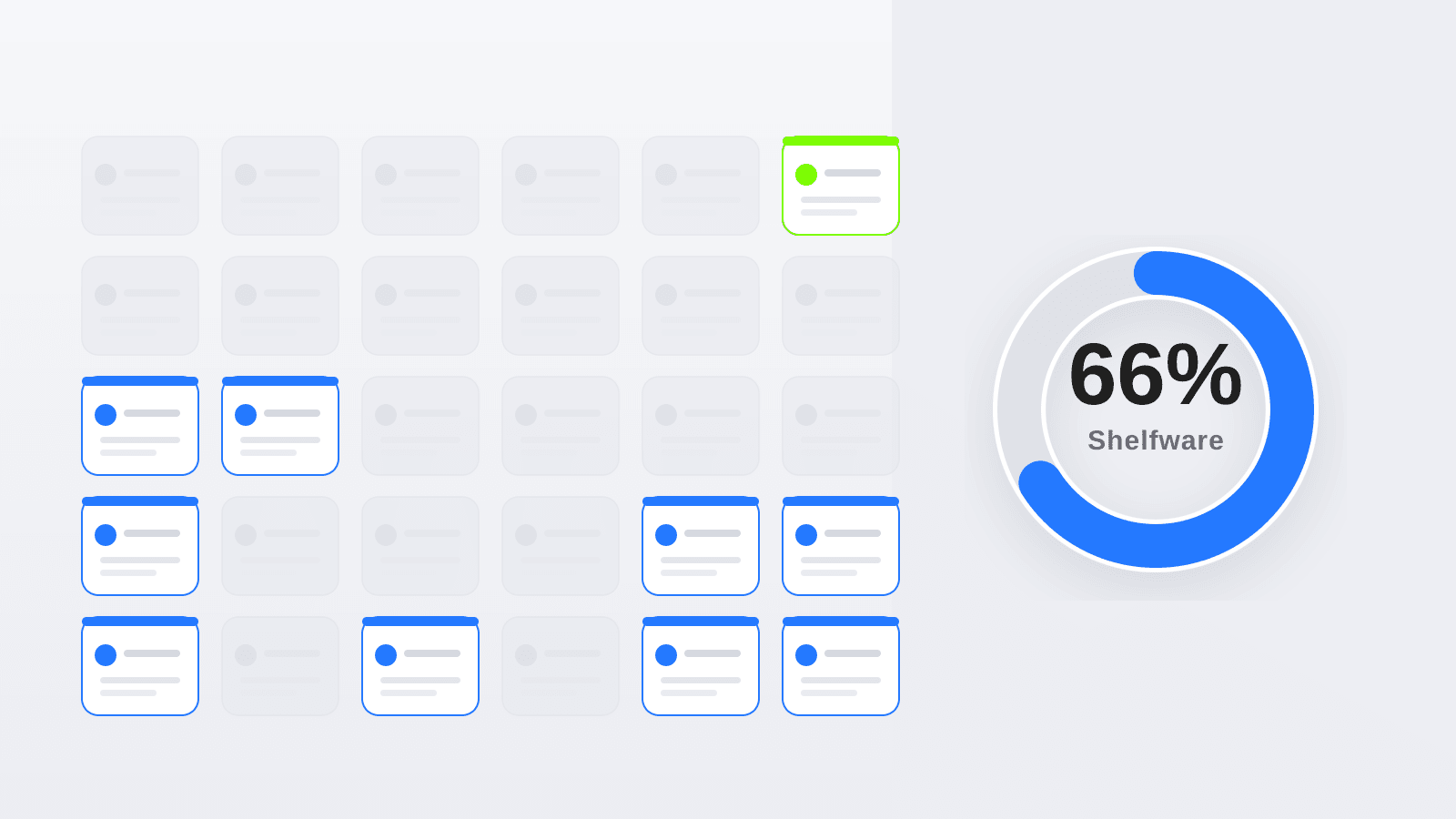
- A Vertice analysis of more than $30 billion in software spend concludes: 66% of all licences are shelfware or significantly underused. Of those, 15% are completely dead (zero activity), and another 51% are only partly used – meaning companies pay for more than half their licences without ever fully drawing on them.
These aren’t numbers from the AI-skeptic camp. They come from the vendors who measure software spend for a living. And they only capture the part that shows up as licence cost. The real cost sits elsewhere: in processes that keep running manually, in data that never comes together, and in time nobody gets back.
Why this hurts most in mid-sized companies
In a large enterprise, an unused licence barely registers in the budget. In a mid-sized company every euro invested is visible – and yet this is where the most gets left on the table. The DACH data is clear:
- The KfW Digitalisation Report for German SMEs 2025 shows the share of companies with completed digitalisation projects fell by 5 percentage points to 30% – back to the pre-pandemic level. Digitalisation spending dropped by around €8bn to just under €24bn.
- According to Bitkom, 53% of companies report struggling to manage digitalisation at all. The biggest obstacles are data-protection requirements (77%) and the skills shortage (70%).
Translated: it’s rarely a lack of will and seldom a lack of software. What’s missing is the time, the know-how and the guidance to turn a purchase into a lived change. That’s exactly where shelfware is born – the most expensive software is the kind that shows up in the budget but never in the working day.
What your unused software actually costs
Before we get to the causes, it’s worth an honest look at your own number. The calculator below is deliberately simple: it takes your annual software budget and your honest estimate of how much of it is actively used.
Interactive
What does unused software cost you?
For context: industry audits (Flexera/Vertice) classify around 66% of all software licences as shelfware or underused. Be honest about "actual usage" and you often land closer to 40–50% than expected.
A rough orientation, not a binding calculation. We find out what really sits idle in your case in a free intro call.
Most managing directors I run this with underestimate usage at first, then revise it down as we go through the tools one by one. The result is rarely pretty – but it’s the starting point for the right question: why does so much go unused?
Software rarely fails because of the technology
The most important sentence first, and it matches every project I see: rolling out modern software rarely fails because of the technology – it almost always fails because of missing user adoption. That’s also the consensus in change-management practice for ERP and software rollouts: a tool isn’t ignored because it has too few features, but because it doesn’t visibly make anyone’s day easier – or because nobody showed them how.
People stick with a new tool only if they feel the benefit immediately and can ask someone when they’re stuck. Take away either and they go back to what they know – the paper calendar, the spreadsheet, the Word quote. That’s why the gap between “bought” and “used” is so wide.
These five adoption killers show up again and again – alongside what actually helps:
| Why software gets left unused | What happens day to day | What actually helps |
|---|---|---|
| No process behind it | The tool is dropped onto a broken process and just makes it more digital, not better | Think the process through (and fix it) first, then choose the tool |
| No onboarding, no training | ”The login is in the email” – and that’s where onboarding ends | Guided rollout with key users, short hands-on training on the real use case |
| Too many workarounds | An off-the-shelf tool doesn’t fit the industry, so everyone builds spreadsheet crutches around it | Adapt the tool to real workflows instead of bending workflows to the tool |
| No felt benefit on day 1 | Extra effort now, benefit maybe later – so people stay with the old way | Start with the use case that saves time immediately and make it visible |
| Nobody owns it | After the purchase, no one looks after it and open questions stay open | Clear ownership and ongoing support instead of a one-off go-live |
The common thread is always the same: it’s not the tool that decides success, but the path around it – process, people, guidance.
The path from “bought” to “used”
That’s why everything we do revolves around implementation, not the licence. We don’t sell access; we sell the confidence that a tool actually gets used in the end. In practice that runs in four steps:
- Understand the process. Before any tool enters the picture, we look at how work actually happens – not how it looks on the org chart. Often the first win isn’t new software but a tidied-up process. See our piece on the AI readiness check.
- Assess the potential honestly. Not every process needs its own software. Sometimes a well-configured existing solution is enough. A short potential analysis often saves more than it costs.
- Roll out and train. Involve key users early, train on the real use case, and don’t let questions fizzle out after go-live.
- Build for people where off-the-shelf doesn’t fit. When we build software, we make it intuitive and adapt it to the industry – so nobody has to “learn” it, they just use it. More on that in custom software for skilled trades.
Off-the-shelf or custom and guided?
Custom software isn’t always necessary – but when it is, it should be done right. Nobody wants to use an off-the-shelf solution (whether a CD from years ago or SaaS today) if they have to contort themselves and build ten workarounds to work with it. The comparison below helps you place your case:
| Criterion | Off-the-shelf software | Guided rollout / custom software |
|---|---|---|
| Acquisition | Bought fast, instantly “available” | Analysis first, then targeted selection or build |
| Process fit | The process must adapt to the software | The software adapts to the process and industry |
| Onboarding | ”It’s all in the docs” | Guidance, training on the real case |
| Usage / adoption | Left to chance | Planned and measured from the start |
| Data ownership | Data sits in someone else’s system | Data stays in your hands, analysable |
| Real cost | Low price, high shelfware risk | More effort, but software that actually runs |
The decision is rarely “build everything yourself.” Often the best answer is a staged path: use an existing solution sensibly, automate parts deliberately, and build in-house only where the industry or requirements are genuinely unique. For how that plays out on budget and funding, see our example on MVP costs in 2026. And where a tool should ask before it answers, adoption climbs because people trust it.
Frequently asked questions
Frequently asked questions
Why does bought software often go unused?
Because buying it was never the real problem. Software gets ignored when there's no clean process behind it, when onboarding and training are missing, or when an off-the-shelf solution doesn't fit the industry and everyone builds workarounds. People stay with a tool only if they feel the benefit immediately and can get help when stuck.
What is shelfware?
Shelfware is software that gets bought but not used, or barely used. Audits by Vertice covering more than $30 billion in software spend classify around 66% of all licences as shelfware or significantly underused – 15% with zero activity and another 51% only partly used.
How do I make sure a new tool actually gets used?
By taking the rollout as seriously as the selection: think the process through first, involve key users early, train on the real use case, start with the benefit that saves time immediately, and clearly define who owns the tool after go-live. Usage should be planned and measured from the start.
Off-the-shelf or custom software – which is better?
It depends on the process. For standardised workflows a well-configured off-the-shelf solution is often enough. Custom software pays off where the industry or requirements are so specific that any standard tool only works with lots of workarounds. Usually a staged path beats "build everything yourself".
Is software consulting even worth it for smaller companies?
Especially there. In a mid-sized company every euro is visible, and unused software hits the margin directly. A short potential analysis before the purchase often saves more than it costs, because it short-cuts the expensive route through shelfware and bad buys.
Conclusion
The question in mid-sized companies isn’t “which software should I buy?” but “how do I make sure it actually gets used?”. The numbers are clear: a large share of software spend ends up as shelfware – not because the tools are bad, but because the path around them is missing. Process, onboarding, training and a tool that fits the industry decide between success and the shelf.
Do you have tools in place that hardly anyone uses – or are you facing a purchase and want to avoid the same trap? Let’s take a look at what’s really worth it for you in a free intro call.
Your direct line to our AI specialists
Book a free consultation