Claude Skills: What They Are and Which Ones Pay Off for SMEs
Joshua Heller · November 18, 2026 · 12 min.
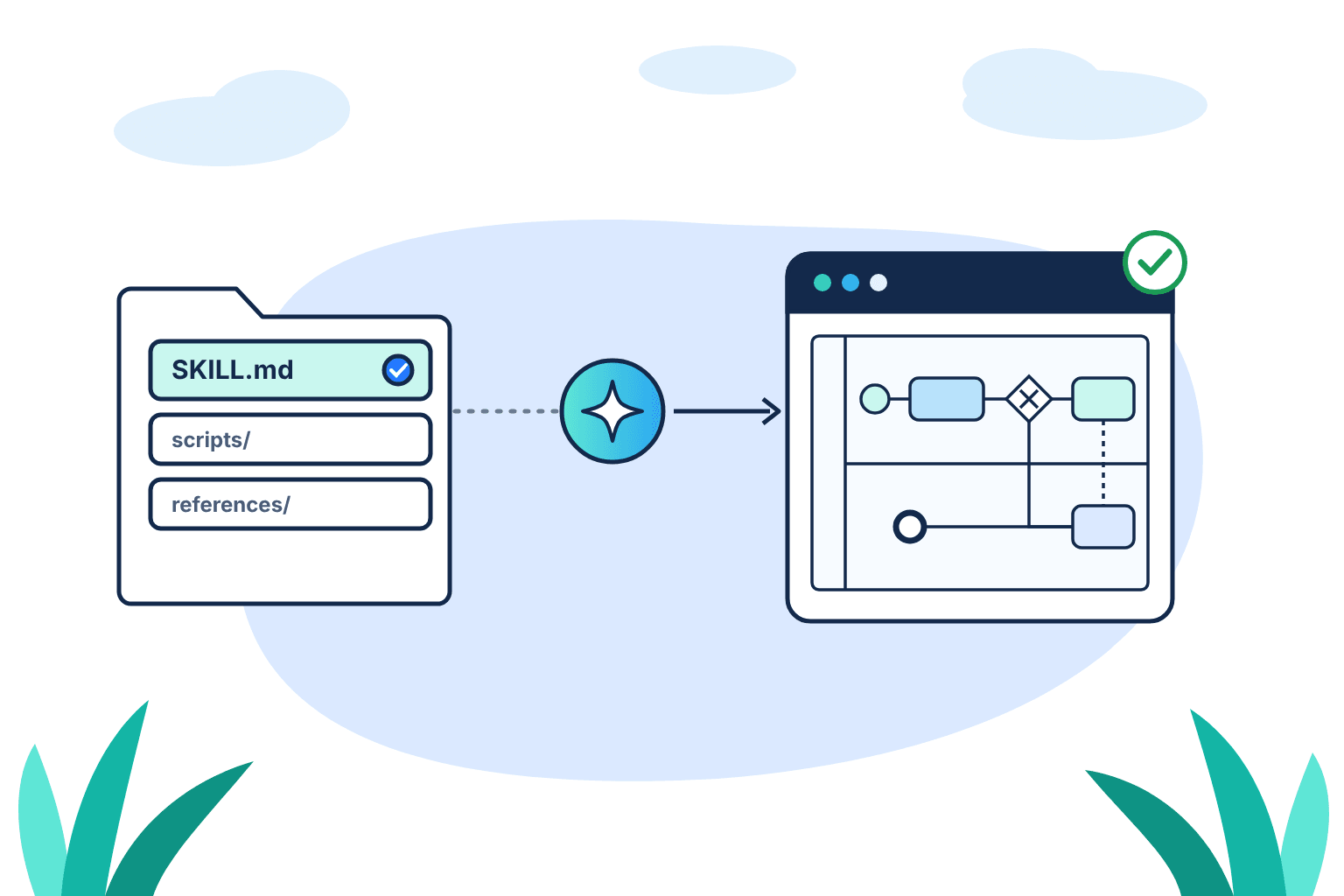
Claude Skills are folders containing an instruction file (SKILL.md) and, optionally, templates, reference material and scripts that Claude loads on its own when it needs them. They capture how a recurring task is done in your company, such as a quote in your own structure, a presentation in your brand design or a process diagram in BPMN 2.0. Claude then applies that standard the same way every time, in claude.ai, in Claude Cowork and in Claude Code.
For small and mid-sized companies, this is one of the most practical building blocks of Claude: knowledge that used to live in people’s heads and sample documents becomes a tool the whole team can use. In this article we explain how skills work technically, how they differ from projects, connectors and prompts, which skills pay off in an SME and how to build your first one. Our example is a skill we use ourselves every day: it turns meeting notes into a finished BPMN diagram.
What are Claude Skills?
Anthropic introduced skills, officially called Agent Skills, in October 2025. Technically, a skill is just a folder:
SKILL.md(required): a short header withnameanddescription, followed by the actual instructions in Markdown.- Reference files (optional): detailed knowledge such as a standard, a style guide or a product list.
- Templates and examples (optional): a sample quote, a slide master, a good example diagram.
- Scripts (optional): code that Claude runs instead of rewriting it each time, for example for calculations or format checks.
The clever part is how Claude loads this content. Anthropic calls it progressive disclosure: at first Claude only sees the name and description of each skill, and it reads the rest only when a task matches.
| Level | What is loaded | When | Context cost |
|---|---|---|---|
| 1. Metadata | name and description | always, at startup | about 100 tokens per skill |
| 2. Instructions | body of SKILL.md | when the task matches | under 5,000 tokens |
| 3. Resources | references, templates, scripts | only as needed | only when read; for scripts, only their output |
Figures from Anthropic’s developer documentation, as of November 2026.
This has two consequences. First, you can install many skills without Claude becoming slower or less precise, because the context window only holds what is needed right now. Second, the description decides whether a skill is used at all. It has to say what the skill does and when it is needed. Why less context often gives better results is covered in our article on context engineering.
An open standard since late 2025
Anthropic published the format as an open standard at agentskills.io in December 2025. Other tools now read SKILL.md files as well, including OpenAI Codex, GitHub Copilot, Cursor and Gemini CLI. In October 2026, Anthropic handed the standard over to the Linux Foundation’s Agentic AI Foundation, which also hosts the Model Context Protocol (Linux Foundation press release, 22 October 2026).
For companies, this means a skill is not a bet on a single vendor. What you write down for Claude today can be used in other tools with little extra effort.
Skills, projects, connectors, prompts: what is the difference?
This is the most common question in our Claude rollouts, because the terms sound alike. The short answer: connectors give Claude access, projects give background knowledge, skills give the procedure.
| Building block | What it provides | When it is loaded | Typical example |
|---|---|---|---|
| Prompt | one instruction for now | once, in the chat | ”Summarise these minutes.” |
| Personal preferences | general preferences | in every chat | ”Answer in British English.” |
| Project | background knowledge on a topic | in every chat of the project | documents of a client project |
| Connector (MCP) | access to systems and data | when a tool is needed | Microsoft 365, Notion, a database |
| Skill | a defined procedure with templates and code | only when the task matches | create a quote in the company format |
Skills and connectors complement each other. A connector fetches the data, for example appointments from Outlook, and the skill defines what happens to it, such as a weekly plan in a fixed format. How connectors work is explained in our article on the Model Context Protocol.
Where do skills work?
Skills run wherever Claude can execute code. In claude.ai, code execution has to be enabled.
- claude.ai and Claude Cowork: Anthropic ships ready-made skills for Word, Excel, PowerPoint and PDF that Claude uses automatically. You upload your own skills as a ZIP file in the settings. According to the Help Center, skills are available on all plans from Free to Enterprise.
- Claude Team and Enterprise: owners can provision skills centrally for the whole organisation. These skills appear automatically for all members and can be enabled or disabled by default. There is also a directory of skills from partners such as Notion, Figma and Atlassian. On Enterprise, uploaded skills can additionally be scanned for malicious content.
- Claude Code: skills live as folders in
~/.claude/skills/(personal) or.claude/skills/(in the project, shared with the team via Git). Every skill can also be invoked directly with/skill-name. Custom slash commands have been merged into skills. - Claude API: developers upload skills through the Skills API and use them in their own applications and agents.
One point that often surprises people: according to the documentation, custom skills are not synced automatically between claude.ai, the API and Claude Code. If you want to use the same skill everywhere, maintain it in one place, ideally a Git repository, and distribute it from there.
If you want Claude to run tasks on a schedule rather than in a chat, see our article on Claude Code routines.
A real example: our BPMN skill
Drawing processes as diagrams is part of almost every project we run: in workshops, in concepts, when aligning with a business department. The standard for this is BPMN 2.0, a notation from the Object Management Group that is also published as ISO/IEC 19510. It is precise, but laborious. In our experience, a clean diagram with swimlanes, gateways and events used to take three to five hours.
The first attempt with off-the-shelf tools was disappointing. We first had Claude draw through a draw.io connector. It was fast, but the results were unusable: simple boxes and arrows that had little to do with BPMN. The model knew the notation, but not the details that matter: which shape an intermediate event has, when an exclusive and when a parallel gateway fits, how message flows run between pools.
The skill captures exactly this detailed knowledge. We wrote it based on the official BPMN 2.0 specification. It describes:
- which elements exist (tasks, start, intermediate and end events, gateways, pools and lanes, data objects) and when each one fits,
- which shapes from the draw.io BPMN library to use, so the result stays editable there as a real BPMN diagram,
- layout rules for spacing, reading direction and labels,
- typical mistakes Claude should avoid, such as sequence flows crossing pool boundaries.
The workflow today: put notes, meeting minutes and requirement documents into Claude, trigger the skill, open the finished diagram in draw.io. In our experience the result is 90 to 95 percent done. The rest takes a few minutes of manual work or one or two change requests by prompt. Instead of several hours, a diagram now usually takes us a quarter of an hour at most (our experience, not a measured value).
The lesson applies far beyond BPMN: the model can do the task, but it does not know your standard. A skill closes exactly that gap.
Skills in automation: the RMEP example
Skills are not only meant for work in the chat. For an investment company we built an automated monthly reporting pipeline based on Claude Code and four agent skills: completeness, consistency, valuation and PDF generation. All calculations run in deterministic Python scripts, not in the language model, and a hard QA gate stops a faulty report from going out. A person approves it before it is sent. This shows the division of labour that works: skills describe the procedure, scripts do the maths, people decide.
Which Claude Skills pay off for SMEs?
The best skills do not come from a list on the internet but from your own recurring tasks. These are the examples we see most often in small and mid-sized companies:
| Area | Skill idea | What the skill captures |
|---|---|---|
| Sales | Quote from meeting notes | structure, text modules, rules for line items |
| Marketing | Presentation or document in brand design | template, colours, slide order, tone |
| Operations | Process diagram in BPMN 2.0 | notation, shapes, layout rules |
| Field service | Inspection report or site log | outline, mandatory fields, references to standards |
| Finance | Monthly report | KPIs, checks, scripts for calculations |
| HR | Job advert | structure, tone, mandatory information |
| Support | Ticket analysis | categories, escalation rules, report format |
In our own company, besides the BPMN skill, we use skills for quotes, slides in the TAISC design, workshop questionnaires and the analysis of sales calls, among others. What they all have in common: the task comes up regularly, and there is a clear idea of what a good result looks like.
Whether a task from your day-to-day work belongs on this list is what the following check shows.
Interactive check
Is this task worth a Claude Skill?
Think of a concrete task from your day-to-day work, such as preparing a quote, writing meeting minutes or drawing a process as a diagram. Answer five short questions.
The evaluation runs only in your browser. Nothing is sent or stored.
Please answer all five questions.
Recommendation
Several people: on Claude Team and Enterprise, owners can provision the skill centrally for everyone, so each person works with the same version.
A rule of thumb from our projects, not a verdict. When in doubt: start small, capture one task as a skill and check after two weeks whether people use it.
How to create a Claude Skill in five steps
You can build a first skill in an afternoon. Describing the task well matters more than the technology.
1. Pick a task. Choose a task that comes up at least monthly and where you know what a good result looks like. Narrow beats broad at the start: “quote for maintenance contracts” rather than “all quotes”.
2. Write down the procedure. Write it the way you would explain the task to a new colleague: goal, steps, quality criteria, typical mistakes. Add one or two good examples. A goal and its rationale help Claude more than long lists of prohibitions.
3. Create the SKILL.md. A minimal skill looks like this:
---
name: maintenance-quote
description: Creates quotes for maintenance contracts in the company format. Use when a maintenance quote, renewal or maintenance contract needs to be prepared.
---

# Maintenance quote

## Goal
A ready-to-send draft that the project lead only needs to review.

## Procedure
1. Take equipment, intervals and contacts from the notes.
2. Use the structure and text modules from template.md.
3. List open points as questions at the end, never make anything up.
According to the documentation, the name may have at most 64 characters (lowercase letters, digits, hyphens) and the description at most 1,024 characters. Detailed knowledge such as price lists or standards belongs in separate files that SKILL.md points to. Anthropic recommends keeping SKILL.md itself under 500 lines.
4. Test it. Try the skill with three real cases, including a difficult one. Check whether Claude triggers it on its own. If it does not, the description is almost always the reason. A short introduction to testing AI output is in our glossary under evaluation.
5. Share and maintain it. In claude.ai you upload the folder as a ZIP, in Claude Team an owner provisions it for everyone, in Claude Code it lives in the project folder. Decide who maintains the skill. A skill is like a sample document: it is only as good as its last update.
Security: what companies should watch out for
Skills are powerful because they bring instructions and code with them. That is exactly why Anthropic advises using skills only from trusted sources: ones you created yourself or ones from Anthropic. A skill from a public collection can instruct Claude to send data to third-party servers or to run commands that have nothing to do with its stated purpose.
Our rules for companies:
- Treat third-party skills like software. Read all files before use, especially scripts and references to external addresses.
- Provision centrally instead of installing freely. On Claude Team and Enterprise, an owner decides which skills are available to everyone.
- Permissions before rules. Control what a skill may not do through access rights and connectors, not through a sentence in the instructions. In Claude Code, also check which tools a skill unlocks without asking via
allowed-tools. - A person before anything goes out. Anything that leaves the company is reviewed by a person. More on this under human in the loop.
How we secure AI agents and the AI stack as a whole is covered in our article on AI security in the enterprise.
Common mistakes with skills
- Skills that are too broad. A skill for “everything to do with sales” is rarely triggered correctly. Several small skills with clear descriptions work better.
- A vague description. If the
descriptiondoes not say when the skill is needed, Claude will not use it. - Rules instead of examples. Long lists of prohibitions make results stiff. A good example and a clear goal work better.
- Doing maths in the language model. Anything that must be exact belongs in a script that the skill calls.
- Nobody maintains the skill. When the template or price list changes, the skill has to change with it.
Do you need support with Claude Skills?
Many teams build their first skill themselves, and that is a good thing. Support pays off when skills are meant for several departments, when they need to work with connectors and your own systems, or when they should become an automation that runs without a click.
At TAISC, skills are part of every Claude rollout: we pick the right tasks with you, write the first skills together on real cases and provision them for the team. For automations with skills at their core, we build the implementation, from prototype to operations. You will find an overview of all our services on the services page, or get in touch directly.
Frequently asked questions
What are Claude Skills?
Claude Skills are folders with an instruction file (SKILL.md) and, optionally, templates, reference files and scripts. They capture how a recurring task is done. Claude only loads a skill fully when a task matches its description.
What is the difference between Claude Skills and MCP?
MCP connectors give Claude access to systems and data, for example Microsoft 365 or a database. Skills describe the procedure: what Claude should do with that data and in which format. The two can be combined.
What is the difference between skills and projects in Claude?
A project provides background knowledge that is loaded in every chat of that project. A skill is a procedure that is only loaded when a matching task comes up, in any chat, not just in one project.
Which Claude plans include skills?
According to Anthropic's Help Center, skills are available on all plans from Free to Enterprise, provided code execution is enabled (as of November 2026). On Claude Team and Enterprise, owners can provision skills centrally for the whole organisation.
How do I create a Claude Skill?
Create a folder with a SKILL.md file. At the top go name and description, below them the instructions with goal, steps and examples. In claude.ai you upload the folder as a ZIP in the settings; in Claude Code you place it in .claude/skills/.
Do Claude Skills work in other AI tools?
Largely, yes. The format has been an open standard since December 2025 (agentskills.io) and is now governed by the Linux Foundation's Agentic AI Foundation. Tools such as OpenAI Codex, GitHub Copilot, Cursor and Gemini CLI can read SKILL.md files.
Are skills from the internet safe?
Not automatically. Skills can contain instructions and code that Claude executes. Anthropic recommends using only skills you created yourself or ones from Anthropic, and reviewing third-party skills completely before use, as with any other software.
Your direct line to our AI specialists
Book a free consultation